
Marketplaces
A selection of marketplaces. Bring orders, supply and stock together and compare turnover and margin per channel.
View the options →
For entrepreneurs who sell via bol
The modular WebApp forms the basis for your bol business. You choose the modules you need, such as product management, listing optimization, marketing, inventory and purchasing. From one environment you can see which articles require attention and continue working on your product text, campaign or next order. Start with the modules that help now and expand later.
Developed from our e-commerce practice at Smartlife Domotica. Your WebApp can also connect Amazon, other marketplaces, your webshop and shipping. Thomas Deijkers is your permanent point of contact for the design.
Your entire e-commerce process connected
The logos below show a selection of possible connections. Other marketplaces, webshop platforms and shipping services can also be connected to your WebApp. With an available API, we tailor the connection to your systems and working methods.





A selection of marketplaces. Bring orders, supply and stock together and compare turnover and margin per channel.
View the options →





A selection of webshop platforms. Connect your webshop with product management, inventory, reporting and purchasing.
View the options →





A selection of shipping services. From order to shipping label and track & trace, with a view to exceptions.
View the options →Other marketplaces, web shops, carriers and your own software can also be part of your setup. For each connection we coordinate which data and actions the API and your account support.
Discover how your platforms work together →As a bol entrepreneur you look at many separate signals. An item is selling less, advertising costs are increasing or stock is running low. The question is always the same: what causes it and what action is needed now?
From source information to a product concept, listing report and checked text proposal.
Available Buy Box signals next to the status of your offer and ads.
View keywords, search volume and positions in context.
Improve keywords, listings and campaigns with clicks, conversions, costs and margin.
Use revenue forecasts, YoY comparisons and trends for your planning.
Translate sales, stock and expected needs into ordering suggestions.
01 · Products and listings
Adding a new article often takes more time than you want. Specifications are in a supplier file, images in another folder and the product text still needs to be written. In the app you can bring that information together and turn it into a product concept.
You use your own source data, for example a product page, PDF, specifications or an image. AI helps in developing the content. You check the product facts and the presentation before publishing.
The next step to bol is via the designated publication route for your range. We look at which fields, categories and checks your articles need.
02 · Offer and Buy Box
An active advertisement does not yet tell the whole story. That is why the availability of your offer also needs attention. The app highlights available Buy Box signals from the bol data, so you can investigate why an item is selling less than you expect.
For example, if bol indicates that your offer is not the best offer, that becomes its own assessment point. You can grab the article and the linked postings and see what needs attention first.
Check supply, stock, sales price, delivery and item status in context. This way you can assess whether a campaign needs adjustments, or whether you first need to solve a problem with the offer.
The signal helps you conduct targeted investigations. Which price or supply change is appropriate remains a conscious choice.
03 · The ranking tool
Track your articles for relevant search terms and see where you rise, sink or miss an opportunity. With separate measurements for bol Netherlands and Belgium.
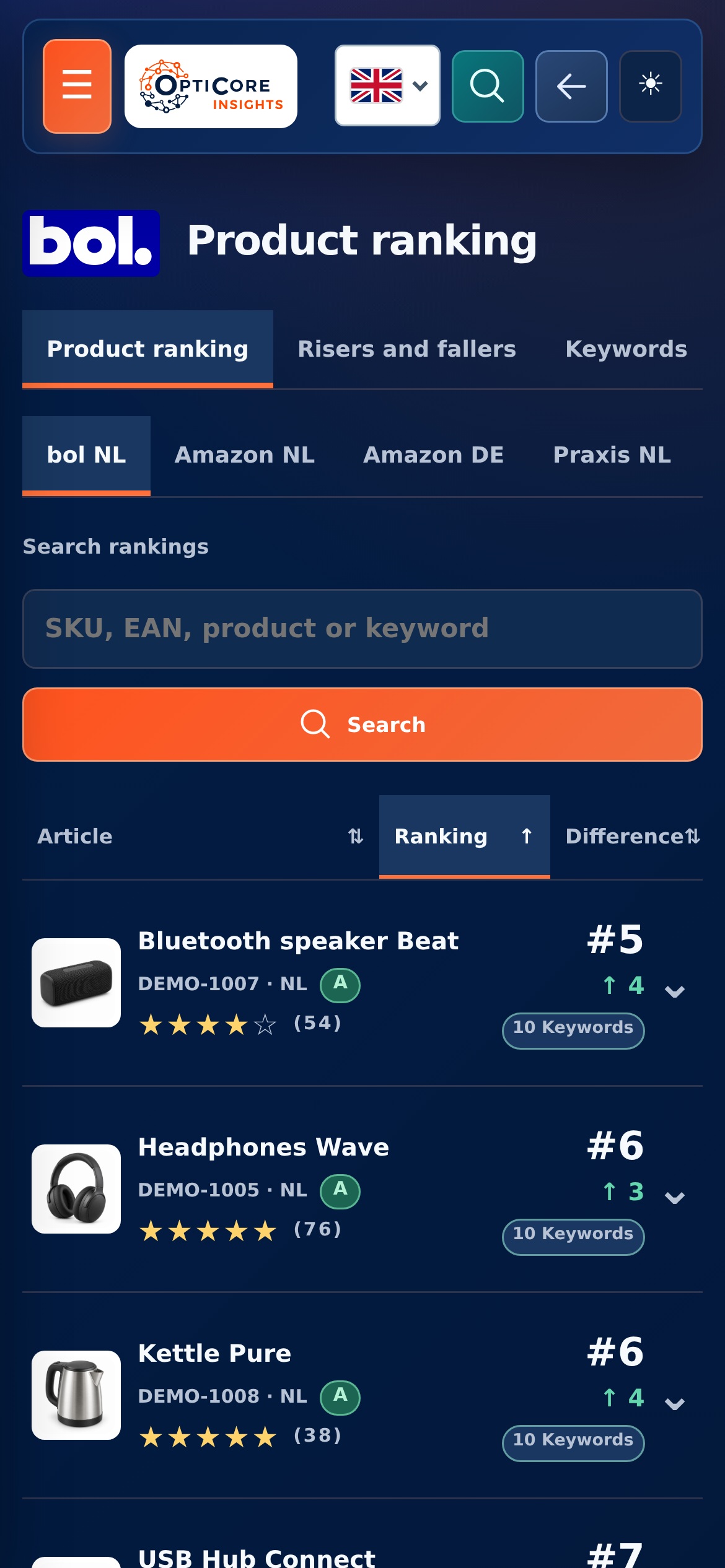
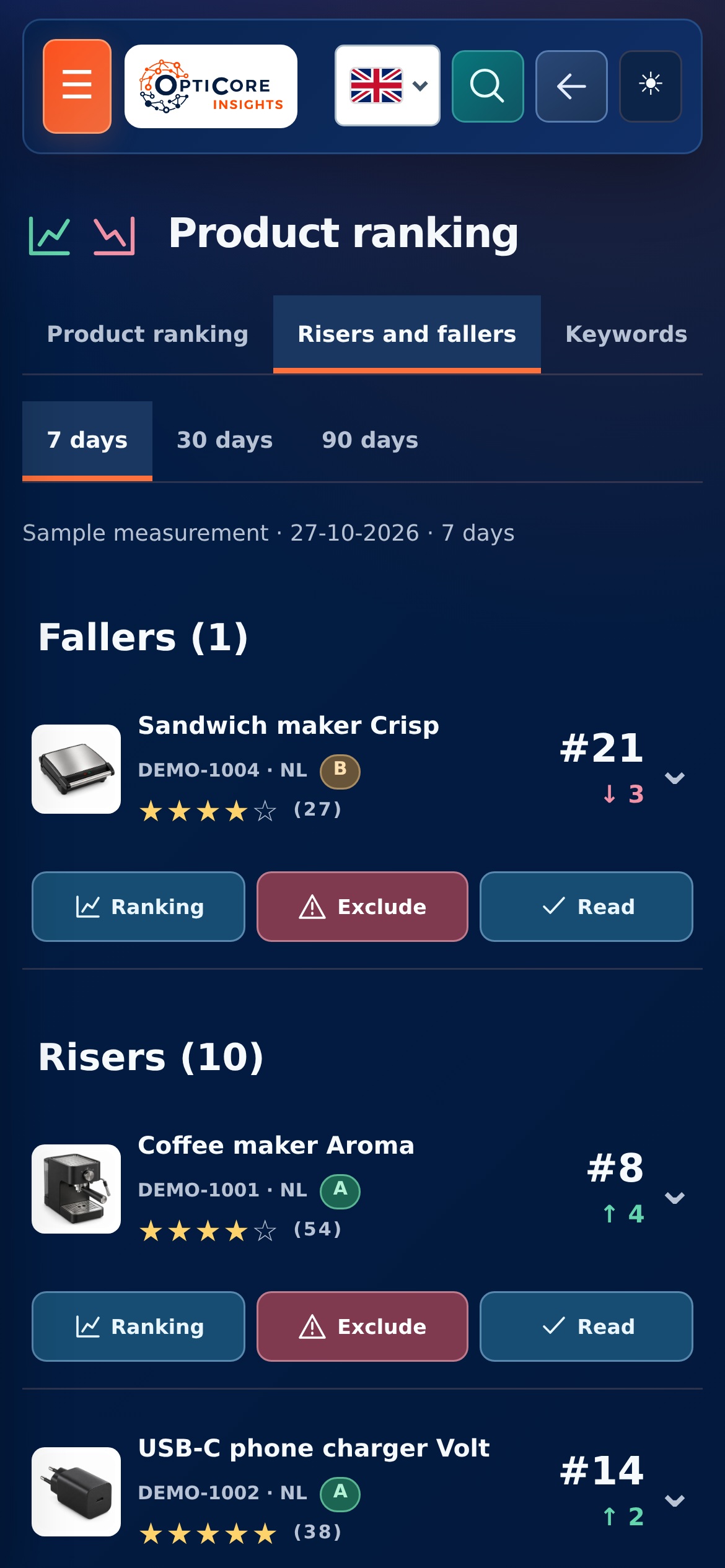
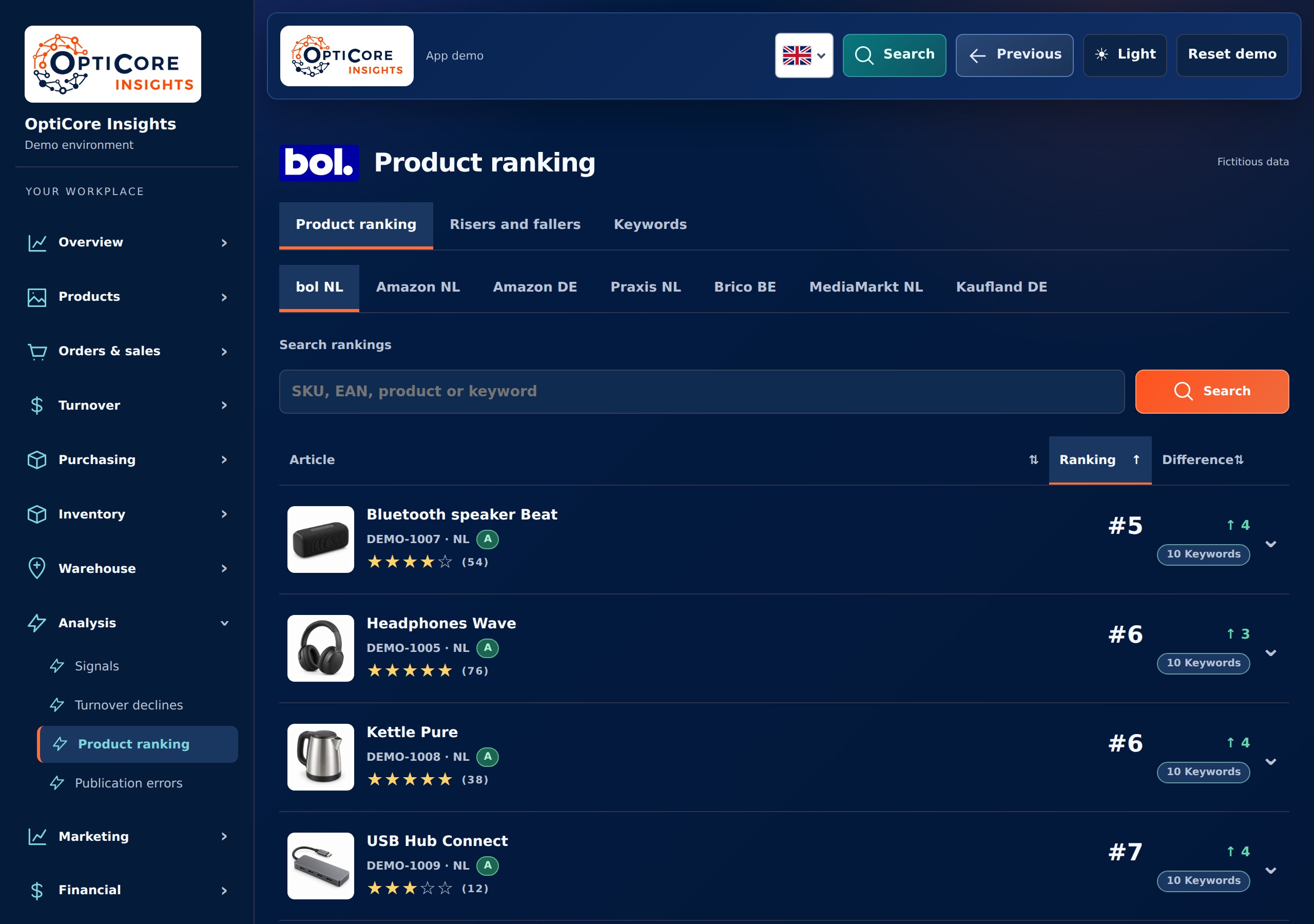

You select items by SKU, EAN or name. For each article you see the active keywords and the measured positions. An overview allows you to quickly compare; the details show which search term makes the difference.
Compare with the previous measurement or with 7, 30 and 90 days ago. Risers and fallers help you find the articles that deserve further research. Missing measurements remain recognizable as unknown.
A position is more interesting if the search term also fits and is used for your product. Search volume and AI-powered keyword research provide context. You can adjust the selection yourself and retain existing history.
A relevant search term is missing from your title or description? From the article context you can continue to a listing report or improvement concept. A ranking movement thus becomes an entry point for targeted work.
A ranking measure is a snapshot of the available search results. The tool makes developments visible; a higher position or more sales remains dependent on your offer, competition and the market.
04 · The marketing agent
The marketing agent translates available sales and advertising data into work you can do: assess a keyword, adjust a bid, prepare a campaign or improve a listing. You will receive the reason, substantiation and a concrete next step for each proposal.
The app can prepare proposals for creating and setting up supported campaigns. Consider an automatic campaign to discover search terms, a classification per product group and a targeted approach for proven articles.
The proposal shows which articles or parts are included and what changes. After your confirmation, affiliated actions can be implemented. We tailor the available campaign types and settings to your account.
Which keywords get clicks? Which ones yield conversions? Where do costs arise without sufficient results? The assessment connects those questions to ranking, stock and margin.
You see why a keyword, bid, product or campaign is receiving attention. You can assess, postpone or reject a proposal and have the supported change consciously implemented.
You don't have to go through all the articles and campaigns one by one. The action list brings together signals, such as keywords that are missing from a listing, costs without sufficient conversions or a ranking that is declining. You open the article with the associated data and see why this proposal is there.
Many clicks can also raise questions about the product itself: does the visitor understand what he is buying and for what application it is suitable? From the marketing agent you can continue to listing optimization. This way you can assess the product presentation together with the search term and the campaign before choosing the next bid or budget.
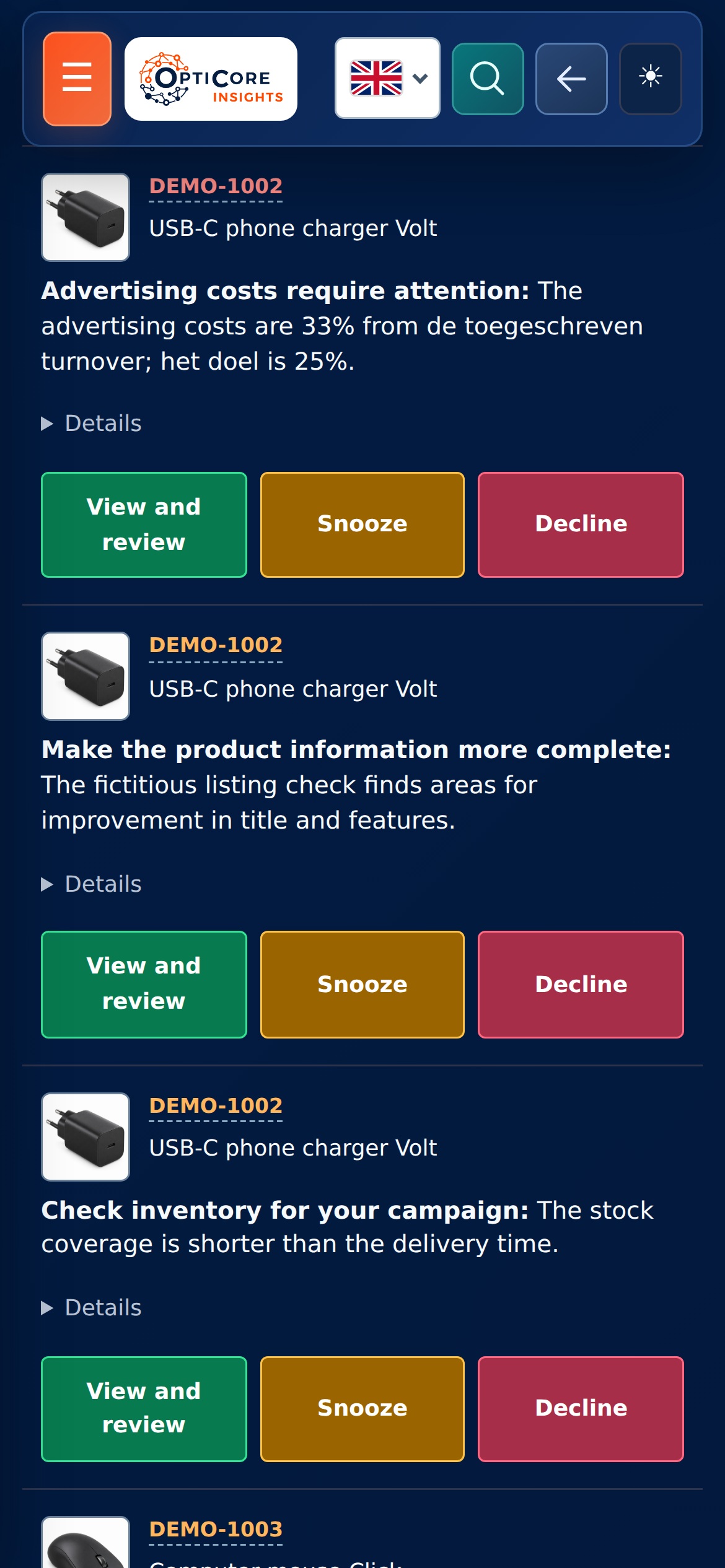
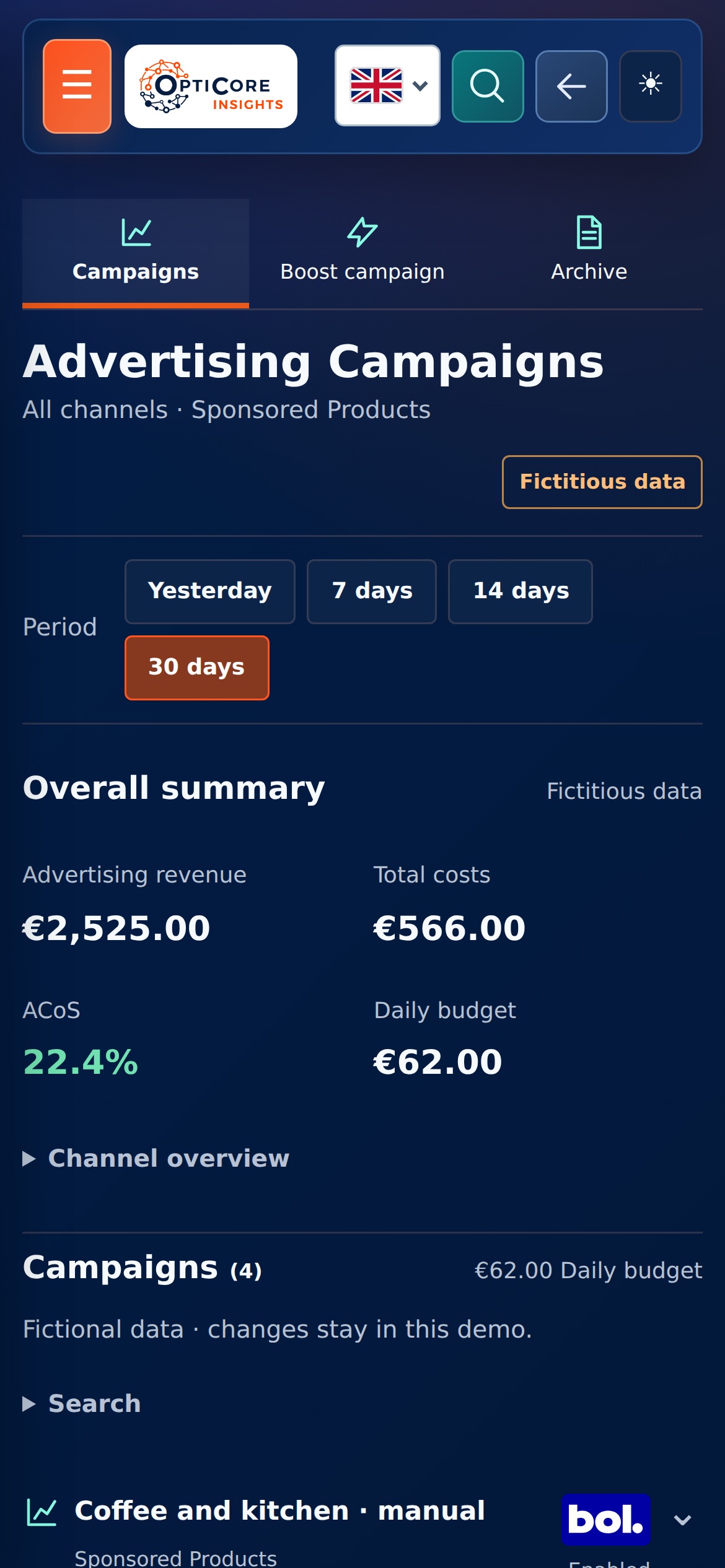
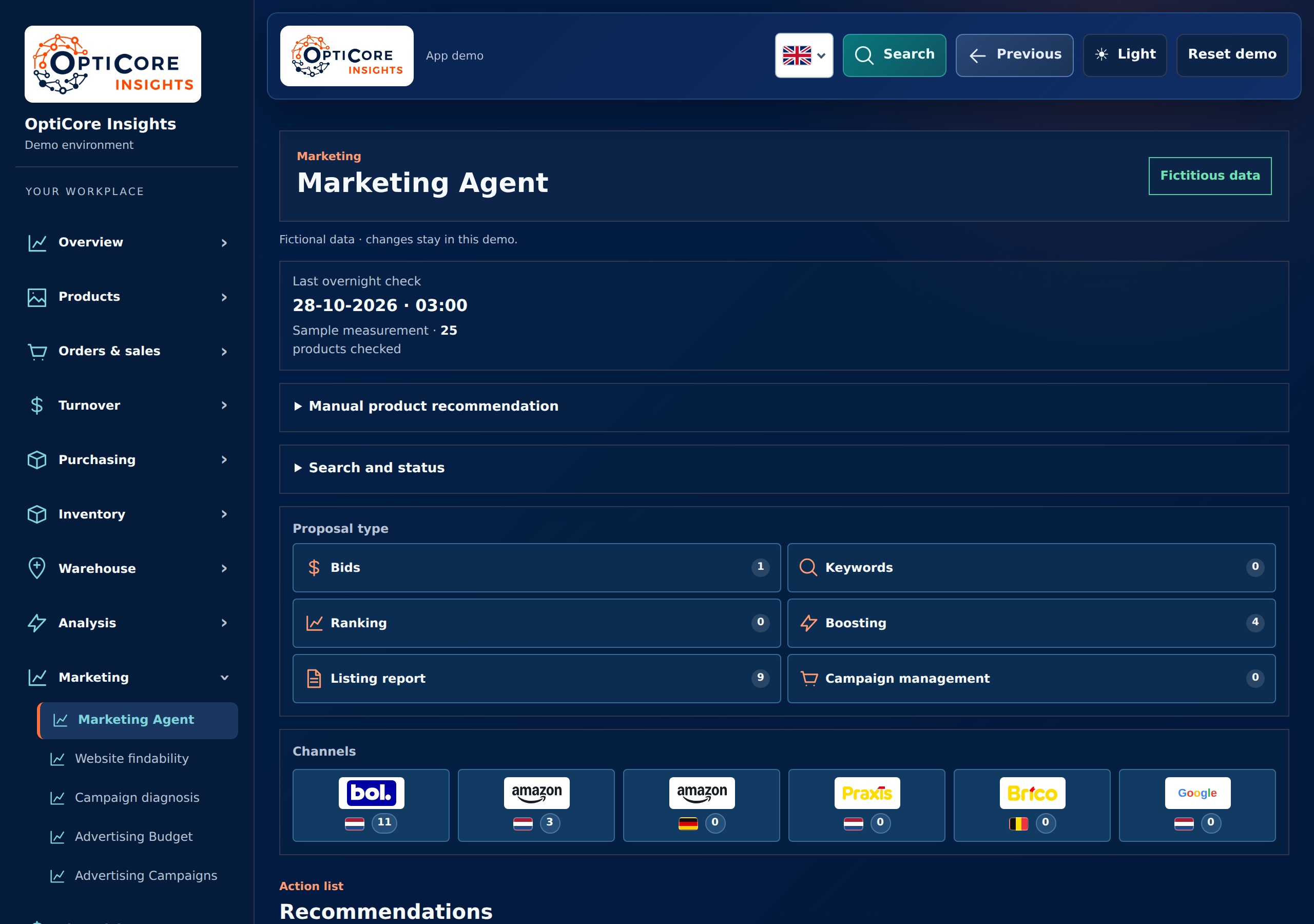
Research search term, costs and the available measurement period. A suggestion could be to pause a keyword, lower a bid or improve the listing first.
View volume, current position, conversions and inventory together. The next step could be a suitable keyword in a campaign, or an improvement of your product text.
Assess whether there is enough substantiation to move from broad discovery to a targeted campaign. The app helps with the proposal and the connected design.
Grab the item and its associated information before purchasing additional reach. This way you can coordinate marketing, deliverability and purchasing.
ACoS compares advertising costs against attributed advertising revenue. TACoS compares advertising costs with your total turnover. To assess the result you also need the costs of your product, shipping, marketplace and returns.
A recent click can later lead to an attributed purchase. The assessment therefore takes into account the measurement period and the availability of data. Read bol's explanation about these metrics ↗
05 · Listing optimization
A product page must attract the right visitor and help them choose. Our app connects keyword data with your product information and makes visible where your title, description or specifications require attention. From there you work on a concrete improvement concept.


The proprietary listing score combines checks for missing relevant search terms, title and product text, readability, mutual consistency and available product data. At a point of interest you can also see what needs to be checked or changed.
That gives direction to the work. For example: review a search term for the title, explain the assembly more clearly, or check the package contents in the source data. You can then start a targeted text optimization command.
The points for improvement are included in the text proposal. The app helps build a clearer title and description around confirmed information about the item. You review the draft and can edit the text before publishing selected content.
A term with a lot of search volume is only useful if it really fits your article. Therefore, application, properties and limitations remain part of the control. This way you work on findability and on a product presentation that creates the right expectations.
Search terms, measured positions and available search volume help you recognize opportunities. Missing terms are replaced next to the current title and description. You choose which words are substantively correct and incorporate them into the text in a natural way.
The product type and the most important characteristics must be recognisable. The check also looks at the structure of the text. Short paragraphs, clear headlines and relevant specifications help visitors assess whether the product suits their situation.
A more comprehensive item analysis may include public information from similar products. You investigate what information is missing from your own article and how text and images explain the application. Competitor information provides points of comparison; You check claims about your own product in your own sources.
Available return reasons from the past six months may give rise to investigating product choice, application or explanation. For example, you check whether a limitation or required component is stated clearly enough. A return notification does not in itself prove a product property or cause; defects and delivery problems require their own follow-up.
The listing score is the app's own monitoring tool. The sample images contain fictitious data. For the product presentation we join the explanation from bol about product information ↗. The ultimate findability and sales depend on several factors.
Product Image Studio · separate module
Turn your own product photo into six consistent images. Work in your brand style, specify changes for each image and keep track of products and sales channels.
 Image Studio · product library
 Six images in your brand style
 Open and edit brand style
 Show product benefits
 Show product use and controls
 Review image set by channel
 Image Studio · product library
 Six images in your brand style
 Open and edit brand style
 Show product benefits
 Show product use and controls
 Review image set by channel
6 screens from this module · fictional data
Use the same colours, brand name and image structure across your range. Open the brand style separately to edit it. A single switch turns the style off for each set.
An isolated main image, a lifestyle shot, controls or app use where relevant, key benefits, a comparison and the box contents. The set gives you a consistent starting point; you check whether each image suits the product.
Search by product, SKU or EAN and view editing and channel statuses. Open an image set, edit the title or image instruction, set the order and choose the main image. Active products and the archive remain separate.
Review the complete set, product facts, box contents and channel requirements. Then download the images or confirm a supported publication. The demo shows these steps with fictional products and local sample compositions.
06 · Forecasting, trends and purchasing
A well-selling item also requires a good purchasing plan. The app helps you compare expected turnover, sales development and stock. This way you can assess earlier which items you need to reorder and where you should build up stock.
View the expected turnover next to what you actually sell and compare with the same period last year. In this way, growth or decline is given context: is this a recurring seasonal pattern, a deviation within a product group or a development in a specific item?
The overviews help you recognize trends and respond to them sooner. For example, by adjusting your planning, improving a product presentation or specifically assessing a campaign.
Stock, sales history, outstanding purchases and delivery times together provide the basis for ordering advice. You look at what is available, what is on its way and what needs you expect for the next period.
From there you can review order suggestions and continue working on your purchasing. This gives you something to hold on to, both for runners who are in danger of running out and for items that hold too much money.
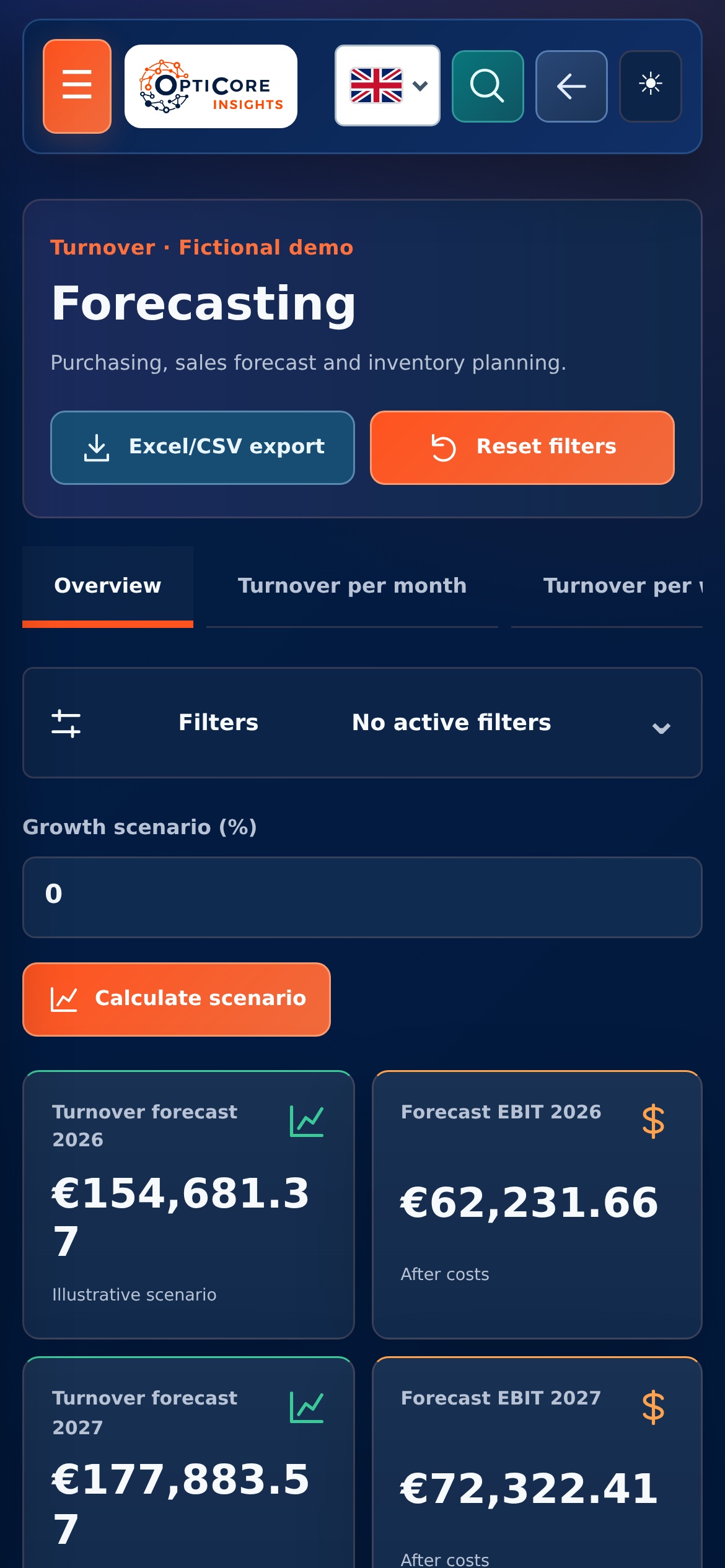
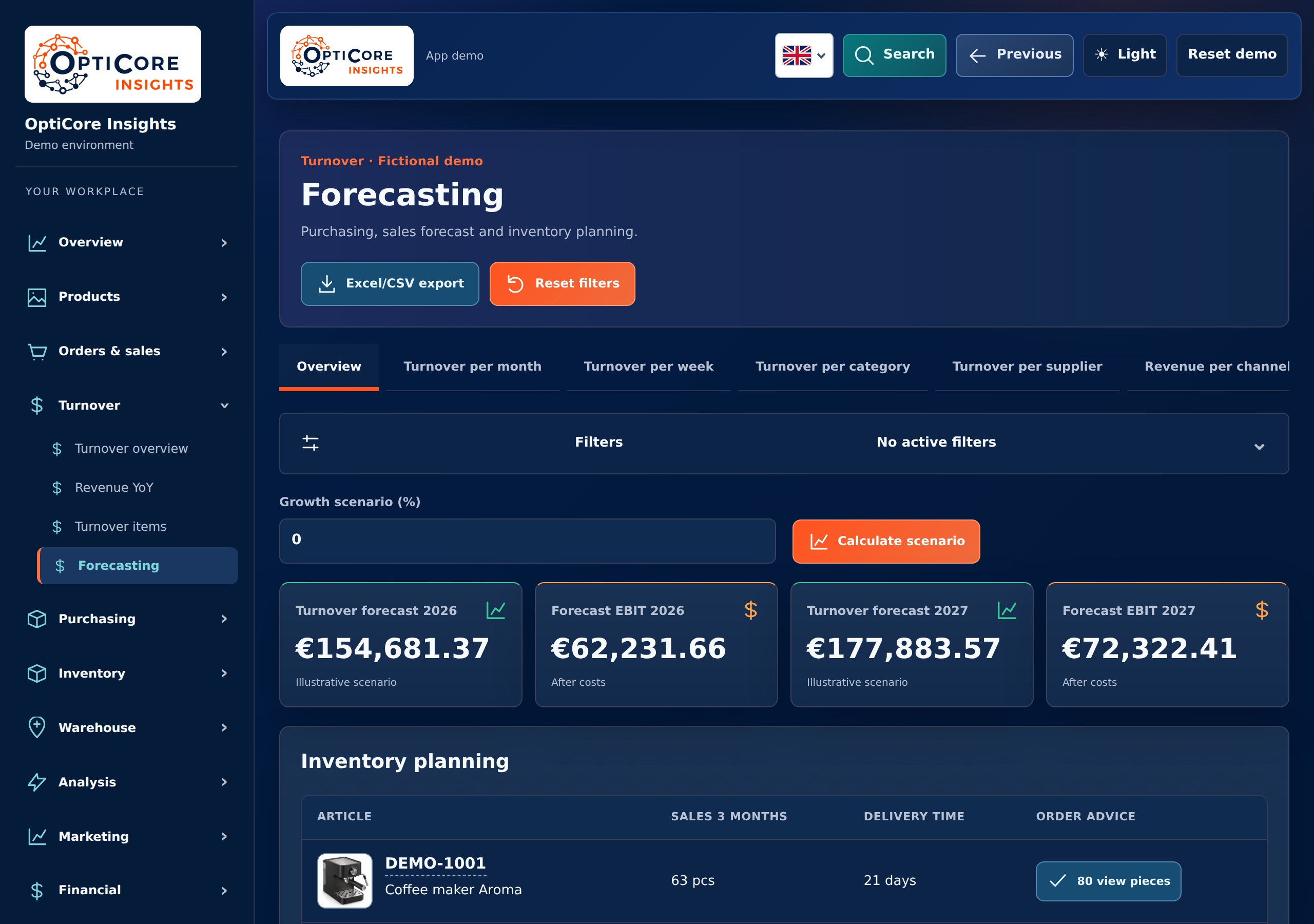
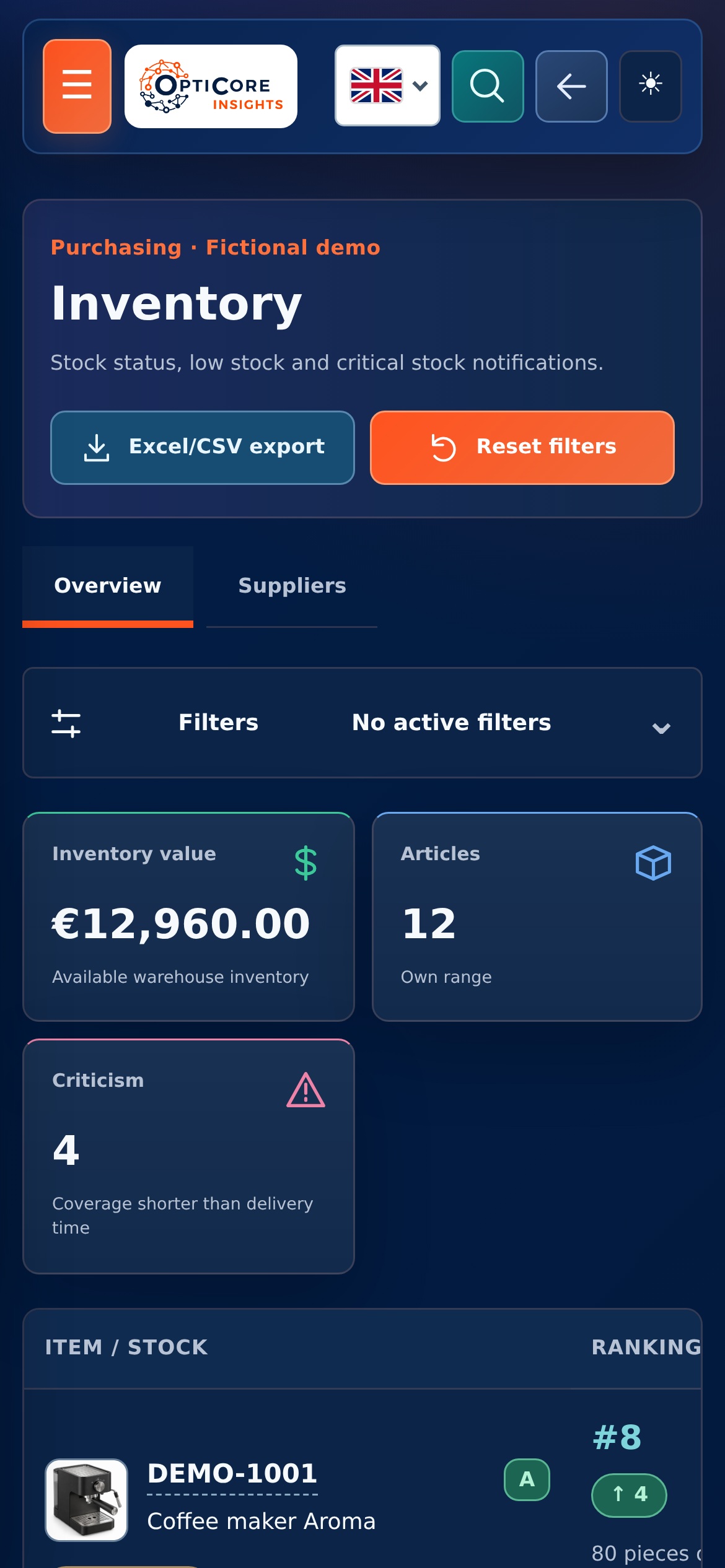
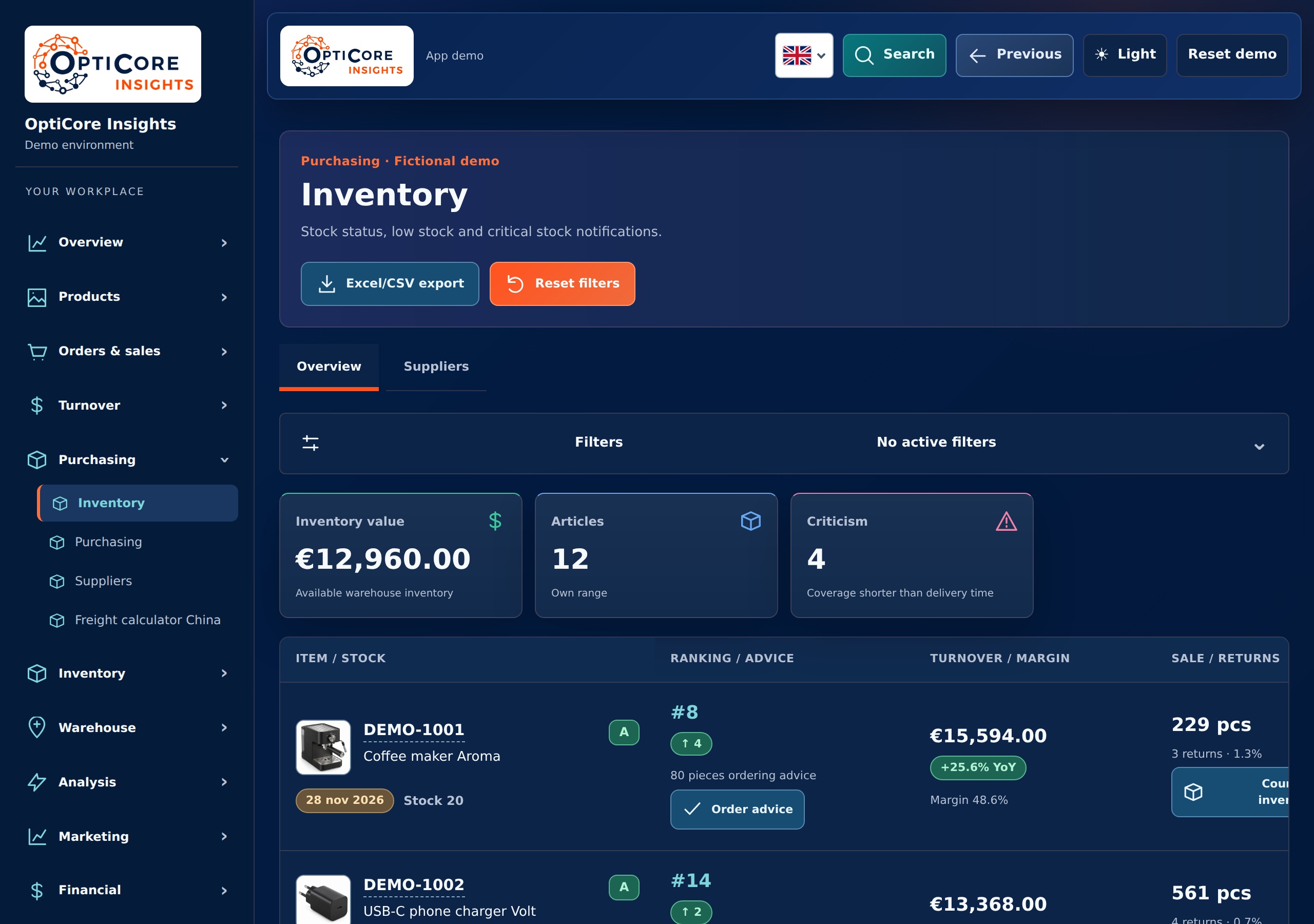
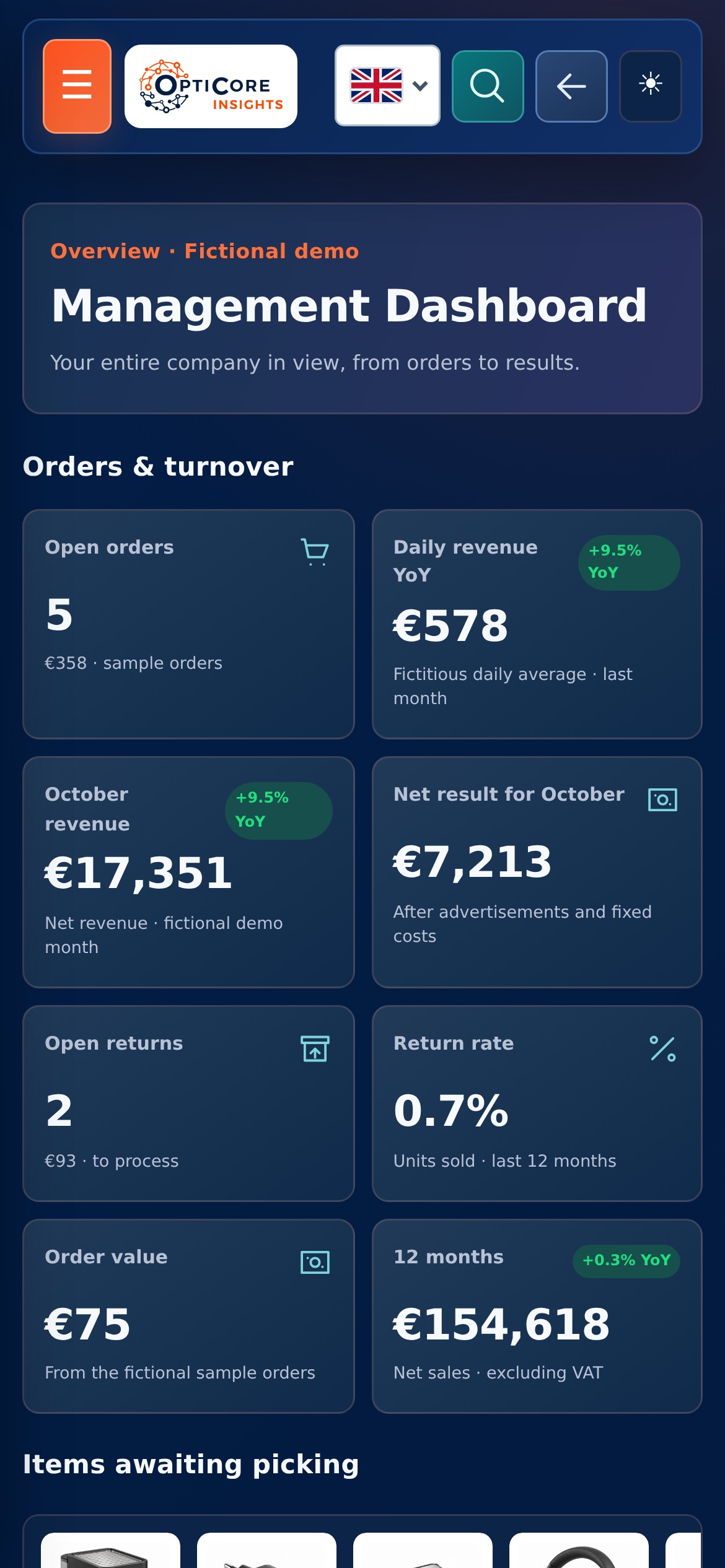
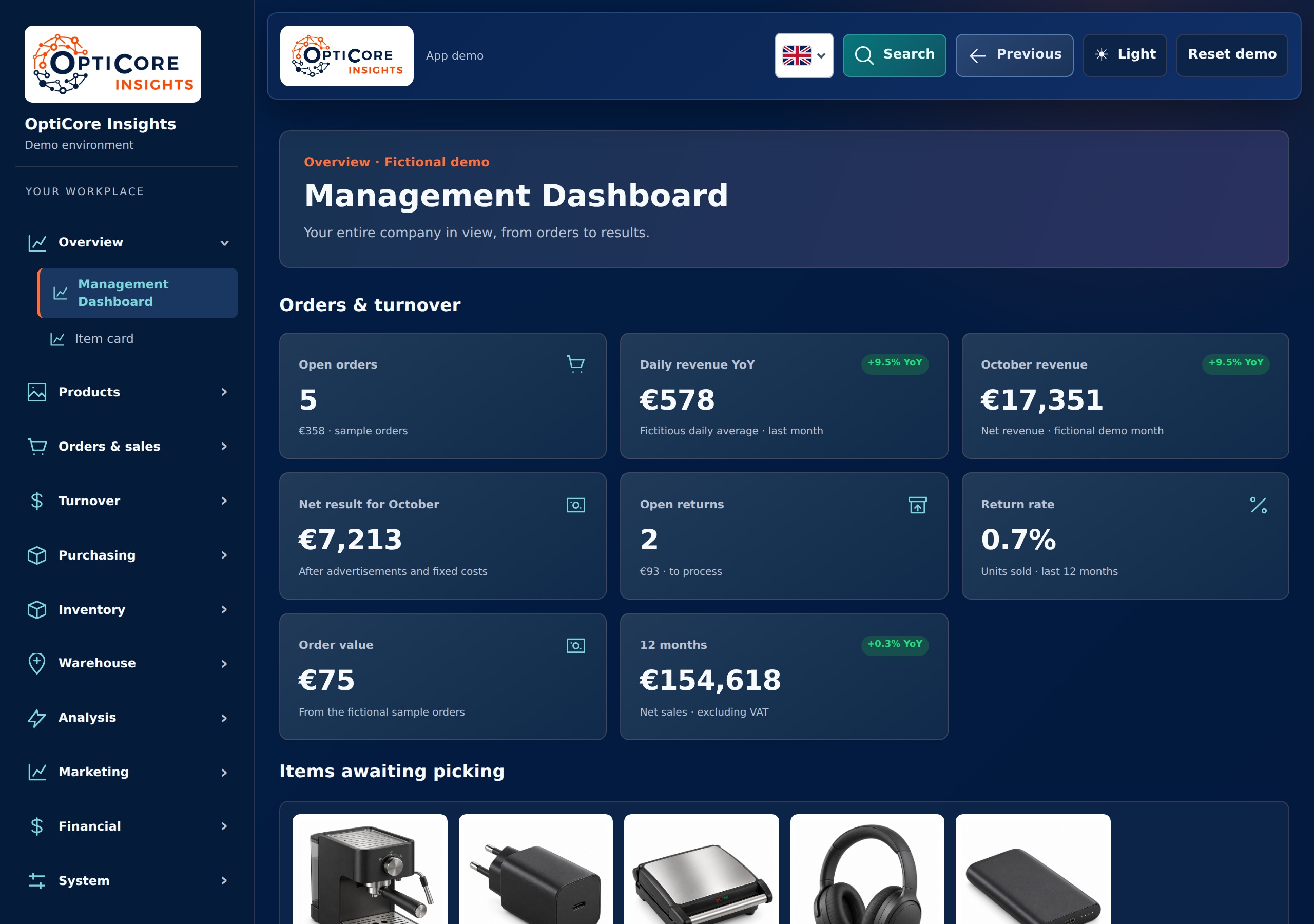
A forecast is an expectation. The quality depends on the connected data and settings; your own knowledge about promotions, delivery problems and market developments remains part of the decision.
Suppose an item sells less than last year. At the same time, you see a lower position on an important keyword and advertising costs that continue. Then you want to look further than just a red percentage.
You open the article, check the offer and Buy Box signals, view the keyword history and place the campaign data next to it. Is there enough stock? Does the listing match the search query? Is the comparison complete? From that context you choose what you are going to improve first.
A shorter route from a striking figure to the right question and a concrete action. Product information, marketing and purchasing belong to the same company and deserve a joint view.
View the application at Smartlife Domotica →You start with the basic environment of your modular WebApp. Together we choose the first modules for your range and daily work. You pay per module and can expand later, for example with inventory, forecasting or logistics.
We show the app and discuss your products, bol accounts, current systems and bottlenecks.
We choose the first modules, connect appropriate data and agree on keywords, controls and marketing rules.
We check the figures and working methods together. You will receive an explanation and we will expand based on the questions that arise in your company.
The ranking tool is part of the modular WebApp. You choose the modules for product management, marketing, turnover, inventory and purchasing that suit your company. This way you can proceed from a signal to an article, a report or a concrete action in the same environment.
Yes. You can build product concepts from your own source data, specifications, images or documentation. You check the content before publishing a new article to ProductFlow. Improvement concepts and publication of selected content are available for existing articles. We coordinate how your range is published to bol.
The listing check provides concrete assignments for title, description, readability, keywords and missing product information. You can use this to prepare a text proposal, adjust the content and publish selected fields via the specified route. A more detailed article analysis can also provide points of comparison for the imagery.
Available return reasons help identify possible misunderstandings. For example, you investigate whether the application, dimensions or required parts are clear. The app treats such notifications as checkpoints. Product facts must come from reliable source information.
The marketing agent can prepare campaign proposals and make supported changes after your confirmation. The design, account rights, campaign types and available data determine which actions are connected to your account. You see in advance what will change.
Proposal and implementation are separate steps. Supported actions require your confirmation and are checked again when executed. We agree on which recurring automation and budget rules you use when setting up. An advice card in itself does not change anything.
The ranking tool supports bol Netherlands and Belgium with individual keywords, measurement data and search volumes. The country is also part of the context in advertisement assessment. We set up the connection for the sales accounts you want to use.
Forecasting provides a substantiated expectation and ordering suggestions, not a certain prediction. Sales history, stock, outstanding purchases, delivery times and settings determine the outcome. You assess the advice before ordering and can take into account actions or developments that are not yet in the history.
You start with the basic environment and also pay for the modules you choose. In the module selection you immediately see the one-off setup and the monthly costs. Together we determine which modules and connections your first WebApp needs.
Choose the modules for your range and see how your WebApp can grow with you.
Tell us what you want more control over: listing optimization, the marketing agent, ranking, purchasing block or purchasing. Then we show how the app can help with this.
Our approach

We make agreements easy to understand and keep you informed about progress, decisions and next steps.

We bring relevant figures together and explain what they mean, helping you decide where action is needed.

We look at which recurring steps could work smarter, with attention to checks, exceptions and the people using them.

We start with a clearly defined step. Then we expand with purpose, based on what your business and workflow need.