

01 · The problem
A PDF is readable, but not yet a usable dataset.
A budget can contain dozens or hundreds of lines. Separate descriptions, quantities, units and prices are required for assessment and comparison. Copying that data by hand takes time and makes each subsequent correction more difficult.
Recognizing text alone is not enough. An amount may be incorrectly placed under a column or a header line may be mistaken for a budget line. The real challenge is to get from document to verifiable data.
02 · Inventory
The document structure and the desired outcome side by side.
The inventory focuses on the source and subsequent use. Which columns are in the PDF? Which fields should be available in Excel? And how do you compare the sum of the recognized lines with the original budget total?
The elaboration distinguishes between PDF text and scans that require OCR. In addition, project linkage, reference material and key figures play a role in the further assessment.
03 · Plan of action
Prepare automatically, have it checked specifically.
The processing is divided into import, recognition, control and export. The parser prepares the first lines; the user assesses the outcome in a workspace in which the fields are available separately.
This way, automation does not become dependent on the assumption that every PDF is read perfectly. The design takes into account missing columns, uncertain recognition and deviations between the source and the constructed rules.
04 · Construction and further development
An editable control screen instead of a final file.
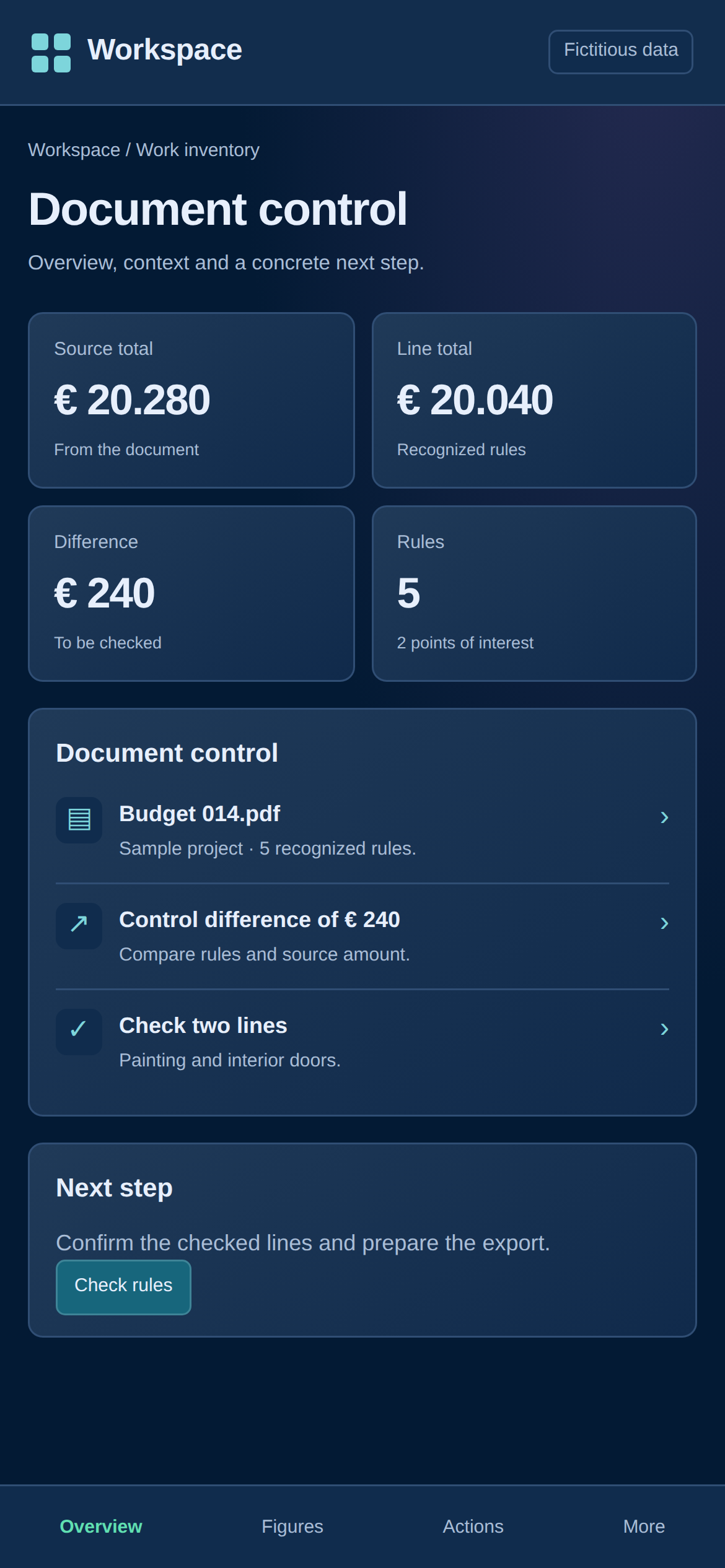
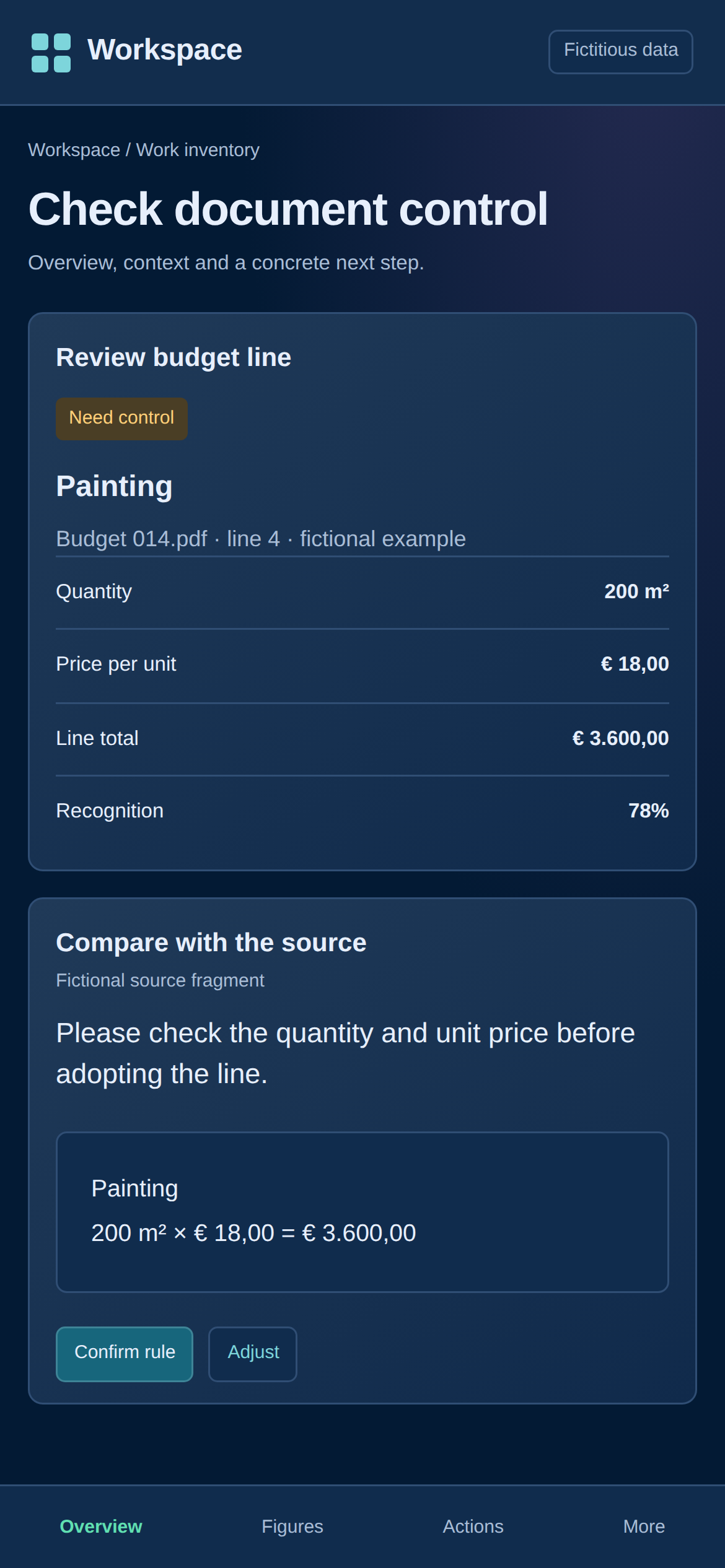
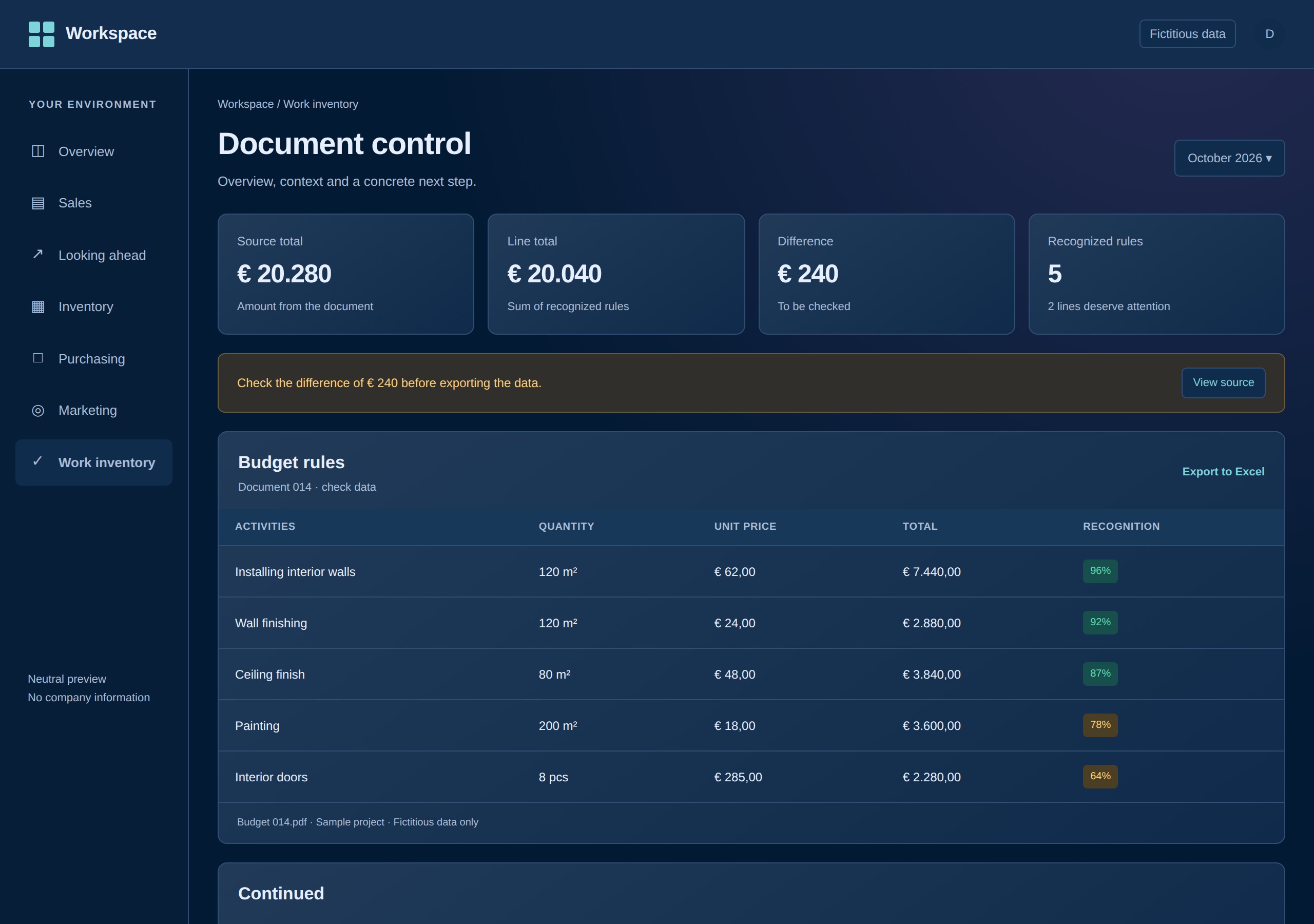
The application contains an input environment, document details and editable budget lines. Description, quantity, unit and amounts can be assessed separately. The control screen shows totals and differences that require investigation.
The further development links document processing with standardization, key figures and reference material. Lines can be selected for further processing and export, so that control does not stop when text is read out.
From insight to the next step
What you can do from the overview
| Reason | What you see | The next action |
|---|---|---|
| Source and rules don't add up | The difference between source total and the constructed lines. | Review and correct the source and relevant fields. |
| A rule requires substantive assessment | Individual columns and the recognition score shown. | Adjust description, quantity or amount and save the lines. |
| The check is done | The editable rules and available export actions. | Export data to Excel or a control model. |
05 · Implementation
Connect to existing Excel work.
The solution is built with Python and FastAPI, with PDF processing and an export layer for Excel. Projects and documents remain recognisably connected within the workspace.
The Excel output forms the connection with the further assessment process. This prevents a user from having to compile everything again in their own spreadsheet for the next analysis.
06 · Testing and checking
The total is a control, not a decoration.
The substantive test consists of comparing source amounts, line totals and quantity times unit price. A deviation must give rise to a review of the relevant rules or the source total.
In the fictitious document shown, the entered source total € 240 deliberately deviates from the sum of the lines. This shows how the interface presents a checkpoint. It is not an error or financial result from a real customer budget.
07 · Delivery
From retyping to assessing and further processing.
The built environment provides an editable dataset with a control screen and a route to Excel. The user maintains the content assessment while the initial input is prepared by the processing.
New document formats may require further parser tuning. The control layer therefore remains a permanent part of the solution, even when the recognition is expanded.
08 · Time savings and insight
Where the profit is in this project
The shift is from entering data to assessing its quality. This can save a lot of transfer work with large budgets. The final savings depends on PDF quality, format and the number of corrections necessary; no measured percentage has been published here.
Less retyping
The first budget lines are prepared from the document instead of being constructed entirely manually.
More targeted assessment
Totals, differences and individual fields provide concrete starting points for checking.
Reusable data
The checked data can be transferred to the existing Excel method.
What difference would a shorter work step make to you?
Enter your own times for one recurring action. This is a calculation tool, not a measured result of this project.
The annual calculation uses 52 weeks. The actual savings depends on your process and the control required.